



Check-in
One QR code captures tickets, waivers and documents in one speedy scan.
- Owners & admins
- Managers
- Staff
- Support & operations
One scan, everything checked
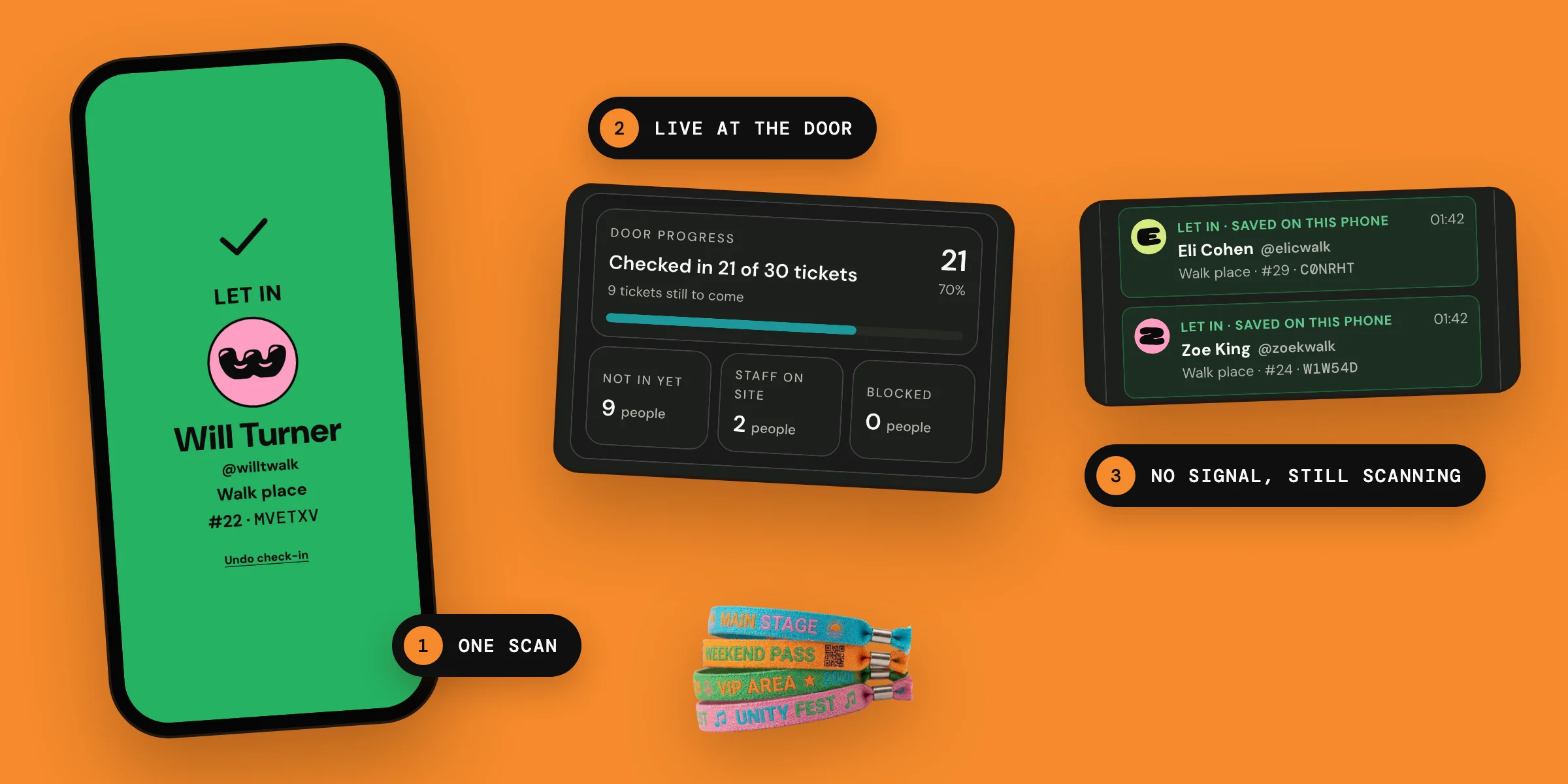
Scan tickets with your team's own phones: all the details you need to be confirmed at the door included in the ticket QR code, which scans even when the Wi-Fi is patchy.
Why organisers use it
A door that keeps moving
Event check-in is often a bottle-neck that causes stress and frustration for attendees and staff alike, particularly when events require evidence of signed waivers or documents. Our check-in is designed to speed your community members through the door while securely capturing all the data you need.
If the code shows, it is in order
Ticket QR codes activate 24 hours before an event, and only if all required documents are completed. Your staff can be confident that if the QR code is showing on the ticket then everything is in order.
How the door works
When the Wi-Fi is patchy
Lots of venues experience patchy Wi-Fi and when this happens it can significantly reduce the check-in rate. As long as your staff have opened Hubbaly while they are connected, in the 24 hours before the event, their phones will have a record of all valid tickets. If their device goes off-line while they are on the door they will still be able to scan tickets. Before doors, check the scanner on each phone says Offline verification: ON. A phone that says not on this phone can't check tickets without signal. Ticket holders who have opened Hubbaly with a connection in those 24 hours will also be able to open their ticket to have it scanned without one. All information about which tickets have been scanned is transferred as soon as the signal returns, while the scanner is open.

Who is in, while it matters
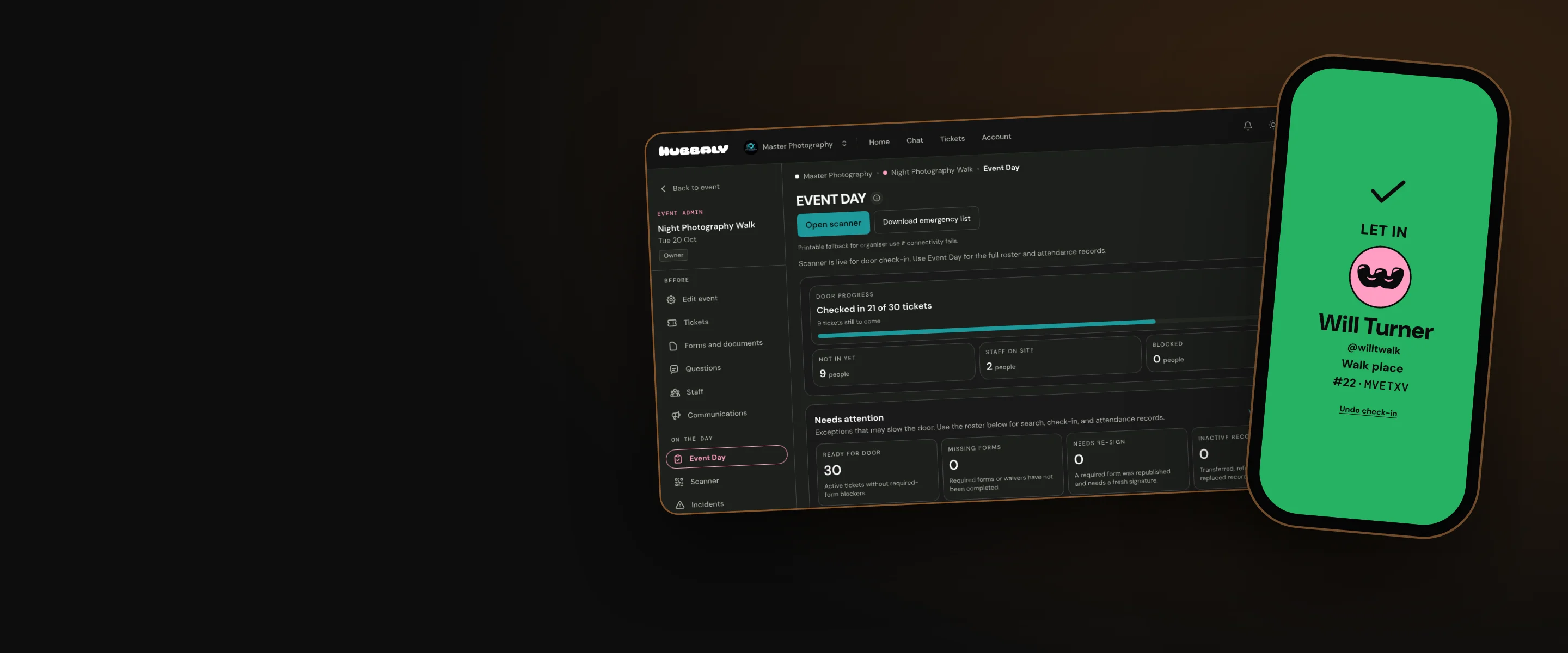
Wherever you need to be during your event you have access to live check-in data on Event Day in your event admin, so you can keep an eye on admissions.

Our promise
We offer a smooth check-in experience for your community members and staff so everyone can start your event off on the right foot. We empower your staff to work with confidence whatever the conditions. We ensure you have all required documents and the check-in data you need to review your event and plan the next one.
Questions organisers ask
Do we need to buy or hire scanners?
No. All your staff need is a device with a camera that can access their Hubbaly account. A phone works perfectly. Hubbaly can also be added to the phone's home screen so it can be accessed quickly.
Can someone get in twice with a screenshot of a ticket?
With signal, a second scan of the same ticket shows Already in, with the time of the first check-in. Without signal, each phone knows only its own scans until it reconnects.
Can people leave and come back in?
Yes. When a ticket that's already in is scanned again, the screen offers Let back in. With signal, each return is noted with its time, and nobody is counted twice.
If people forget to fill out their forms will they receive a reminder before the event?
People who bought as guests are emailed a reminder about a day before the event if their required forms are not complete. People with a Hubbaly account see reminders on their tickets. The QR code stays locked until the required forms are done.
The staff and volunteers that I have assigned to my event have all received staff tickets. Do these work like attendee tickets?
Yes. Each person gets their staff ticket when they accept your invitation. Scan it when they arrive to check them in. Staff on site shows on Event Day, and your event report lists checked-in staff and staff no-shows.