




Email campaigns
Email campaigns that know your community
- Owners & admins
The right people, with less time and effort.
Quickly and simply create email campaigns with a tool that knows your current community members, and the different groups of members or staff you want to communicate with.

Why organisers use it
No more uploading lists
Email campaign software that is disconnected from your current members list, and database of staff, performers and vendors, requires you to manually upload your recipients every time you send an email. These platforms also come with significant fees.
It knows your hub
Our email campaign studio draws on your hub data, so it knows your members, your groups and your event details: who has bought a ticket, is on the waitlist, or is working at your event.
At no extra cost
So sending emails requires less work for you, and less chance of errors caused by out of date database records. All at no extra cost.
How it works
Choose who gets it
You select your audience for your email. This can be from your hub-wide members list, or those eligible to attend individual events.

Build it from parts
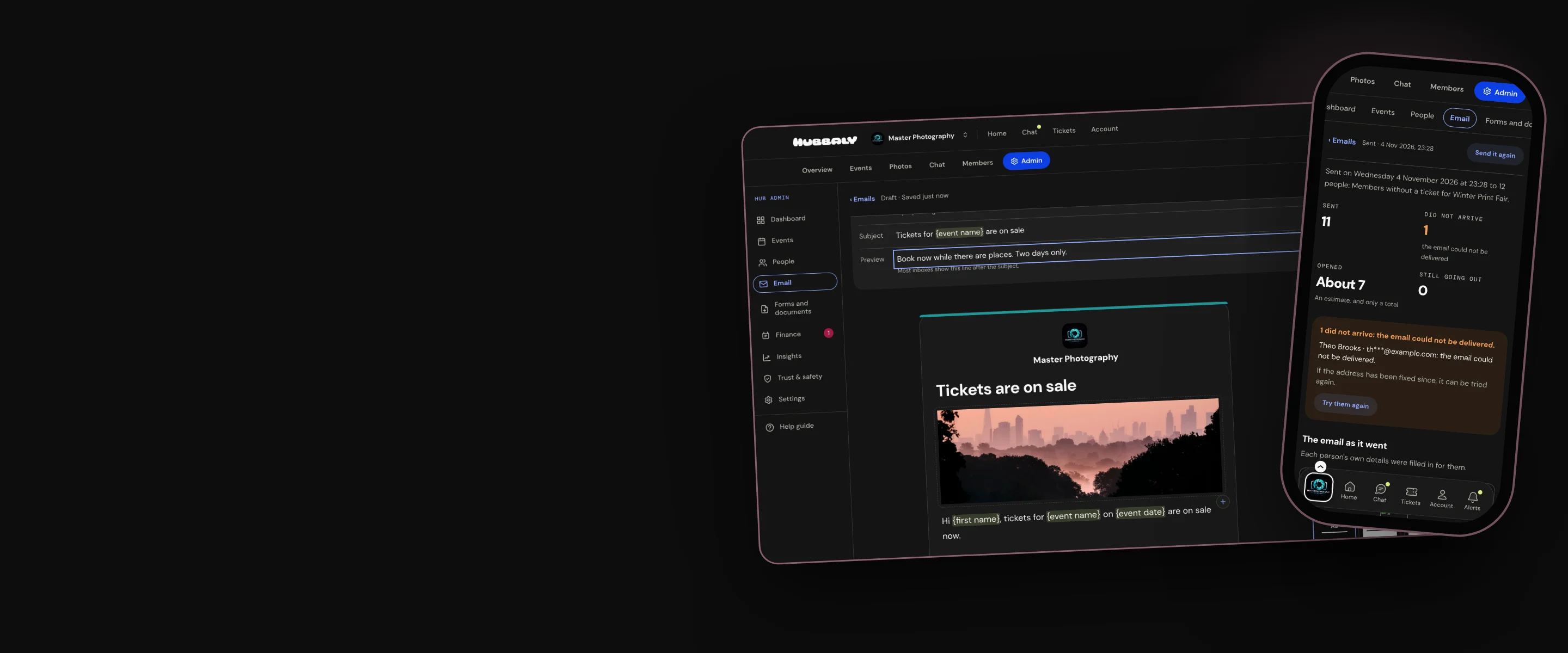
Build your email from blocks and information from your hub or event. You can preview and send a test email before releasing it.
Start from a ready-made email, such as Reminder, Tickets on sale or Thank you for coming, or from one of your own saved templates.

Send now or later
Choose to send your email immediately or at a scheduled time.
Send up to 5,000 campaign emails a month. Speak to us at hello@hubbaly.com if you need more.

See how it went
Track who your email was sent to, if it was received, and roughly how many people opened it.

Our promise
We provide you with a comprehensive email campaign studio that uses your current members lists and groups and knows the details of your events. You send your emails to the right people with less time and effort required.
Limitations to consider: Clicks on links are not tracked to protect hub data from being extracted by third parties. People in your community who have changed their profile settings to block all email campaigns will not receive yours.
Questions organisers ask
Who can I send emails to?
People linked to your hub as members or ticket holders to one of your events. You can use a range of filters and pre-set groups to target specific audiences linked to your hub.
Do emails come from my address?
Not quite. In inboxes emails will appear to be from the display name you choose, or your hub’s name if this field is blank. Replies will go to your reply-to email address, or your hub’s contact email. You will have set these details up when you created your hub, or you can edit them at any time in your hub admin.