


Learning
Topics: how each feature works
13 topics across 7 features, one question at a time.
Set up a home for your community
Hub groups
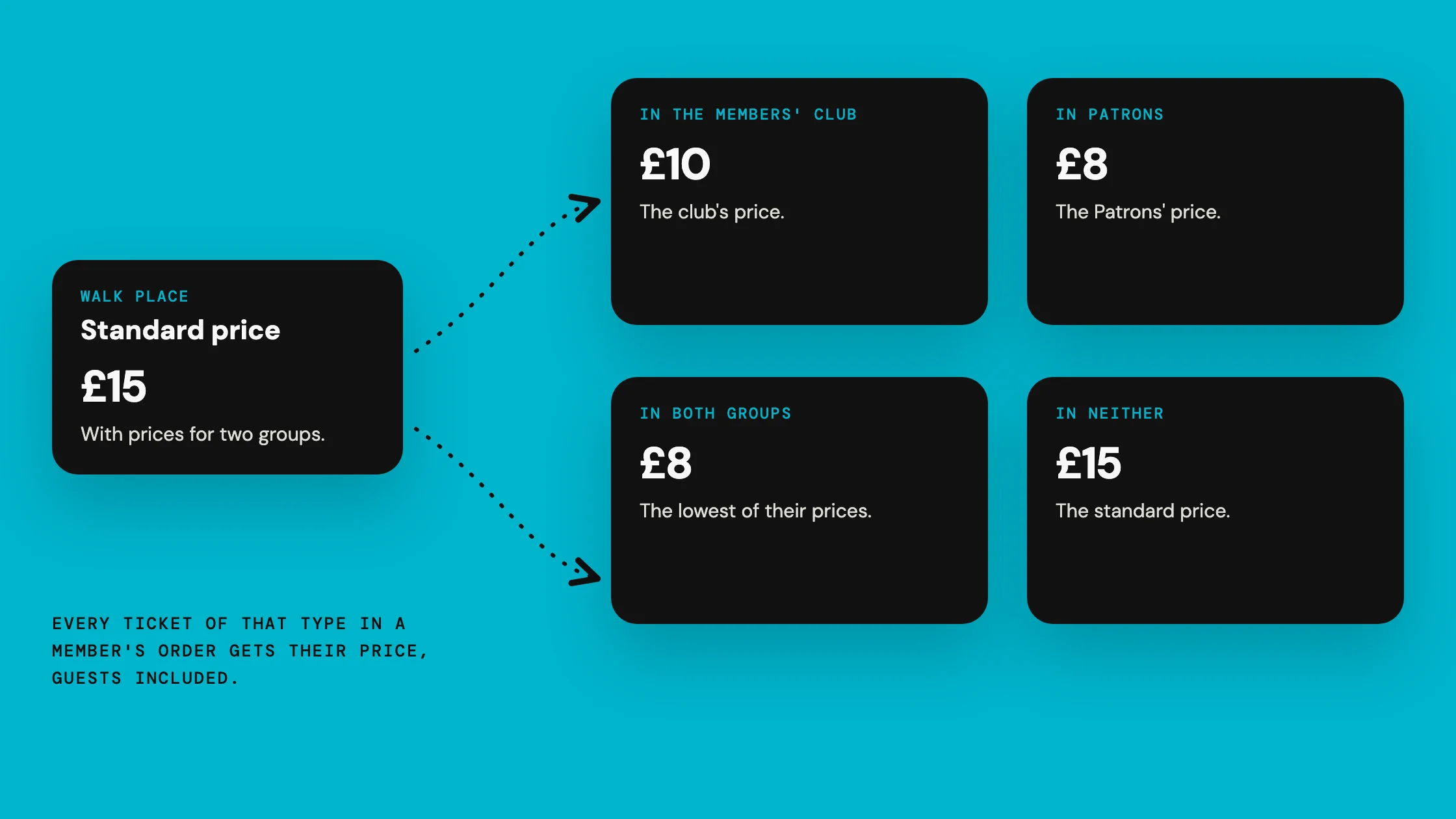
The right people, every time
Set up a home for your community
Member import
Import existing community members
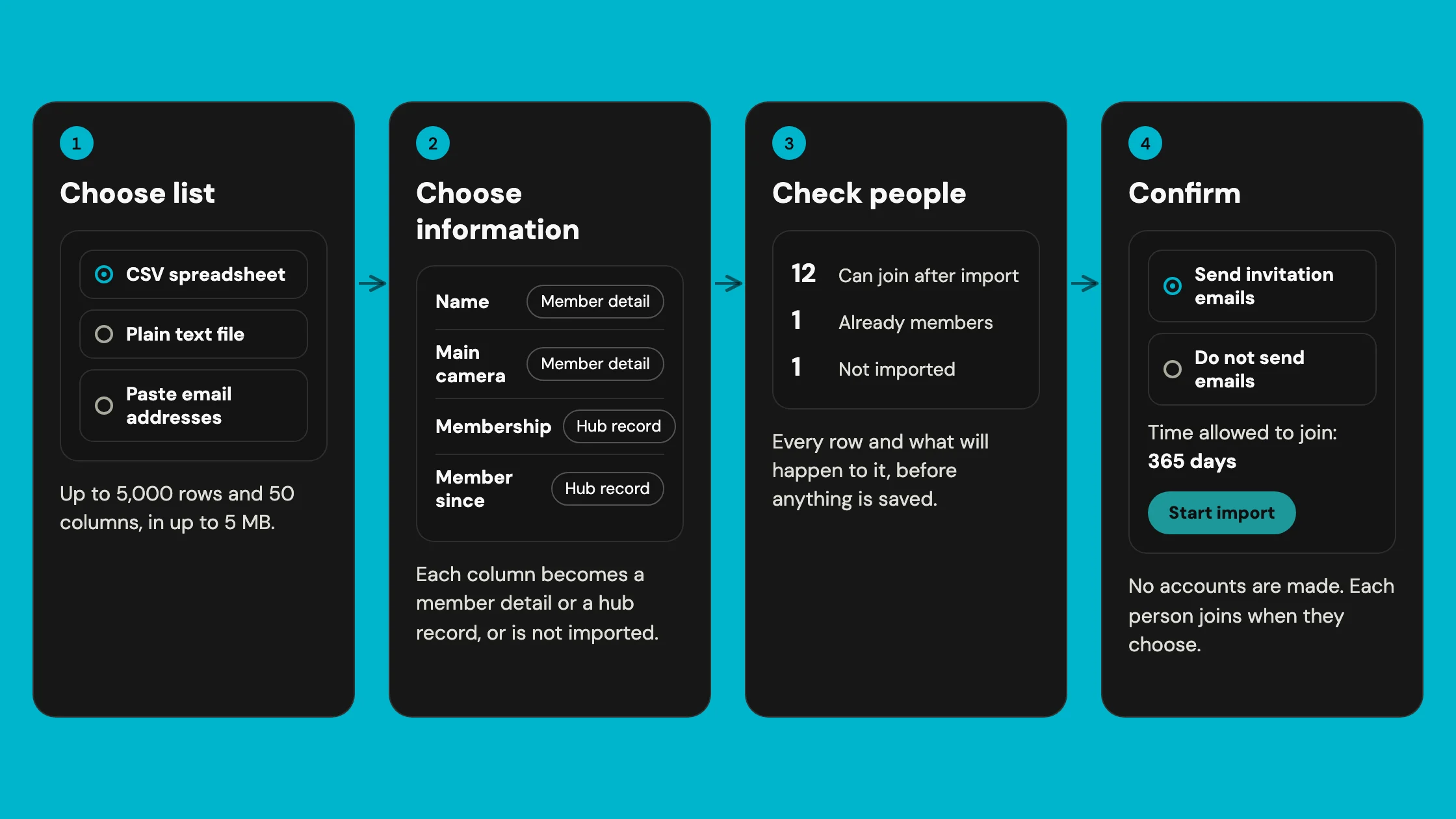 Organiser workflowWhat a hub Owner or Admin does to bring a member list into Hubbaly, from the file to the results.
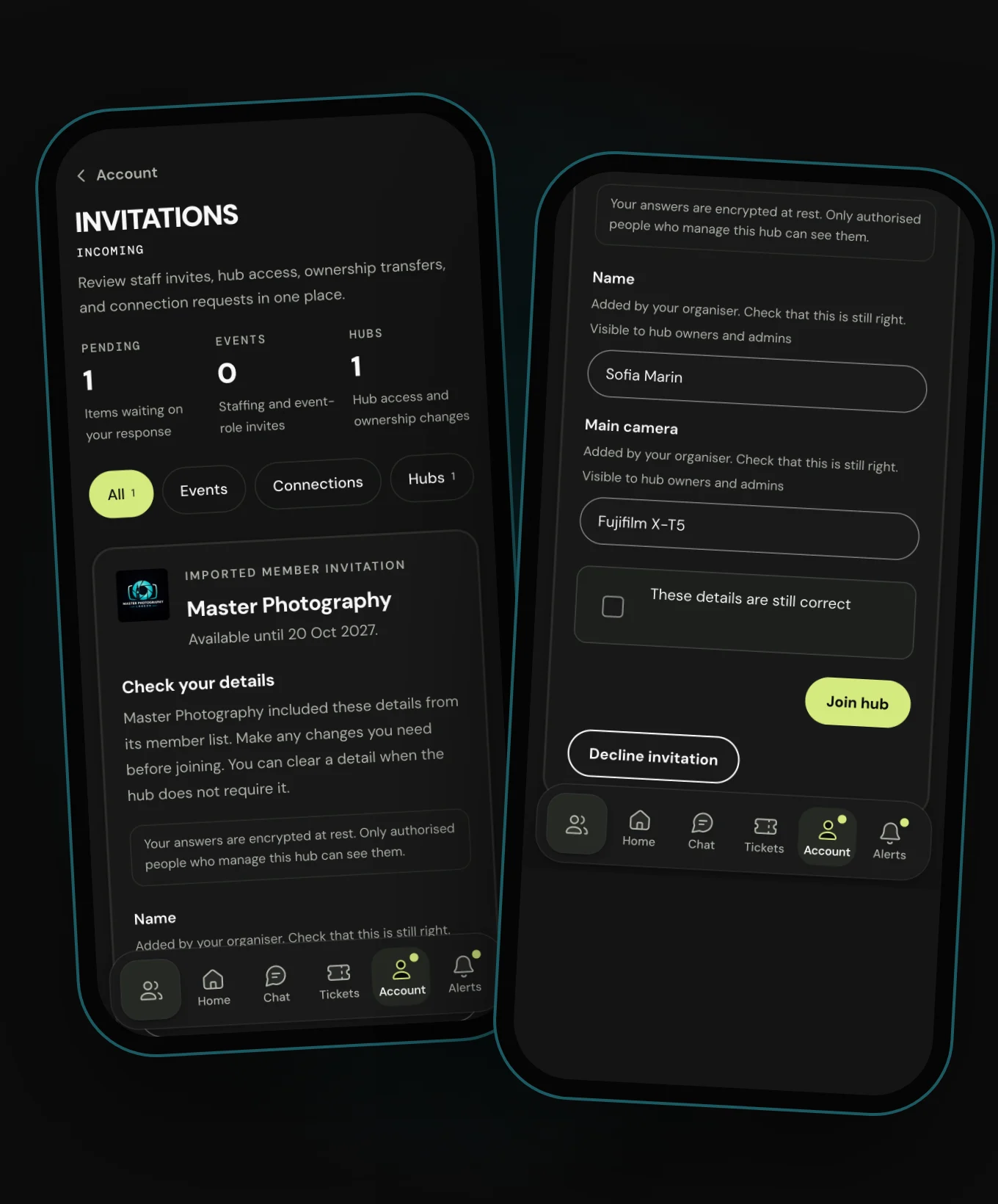 Recipient journeyWhat an invited person sees, and what they must do before they become a member.
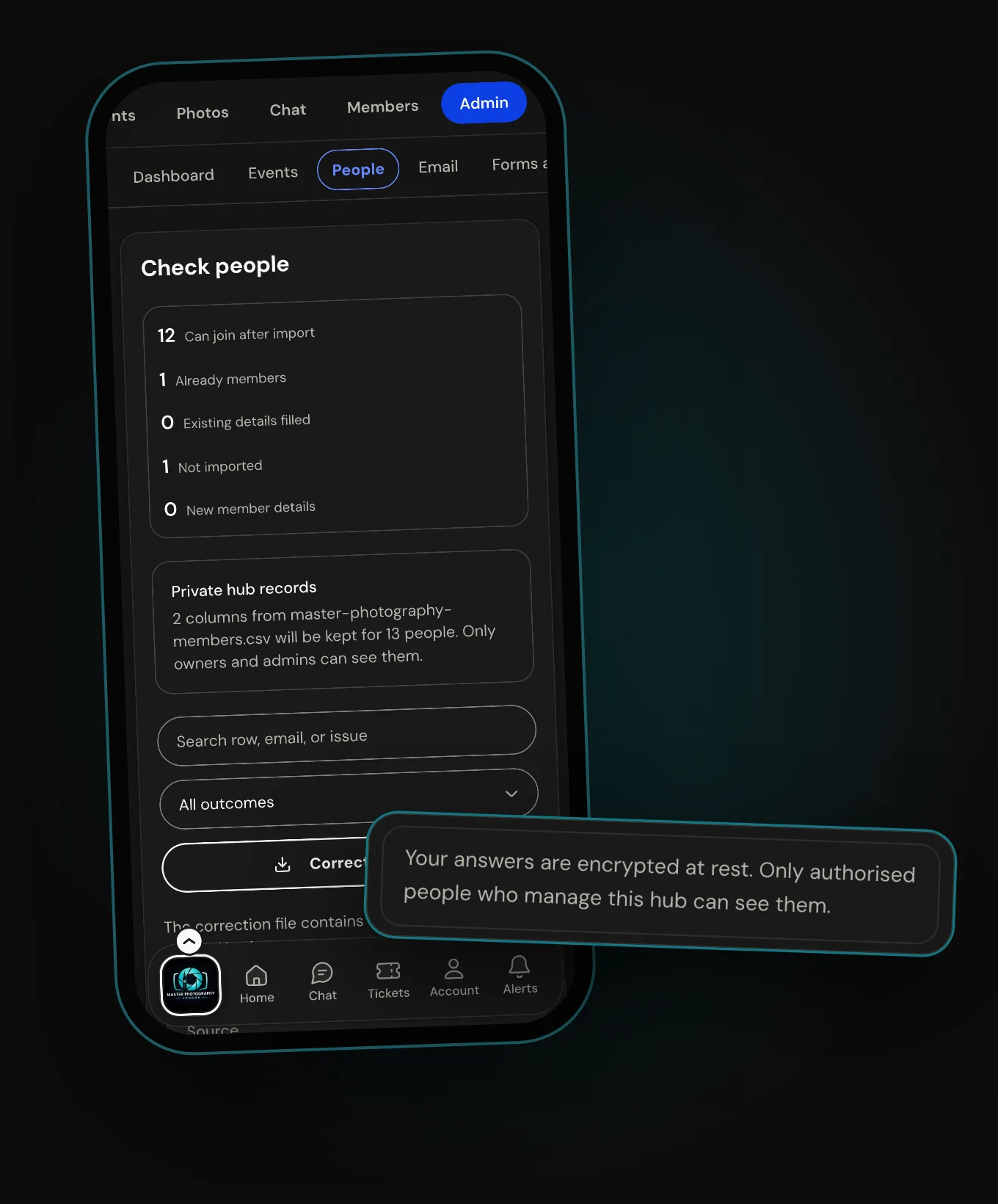 Safety, privacy and data lifecycleWho can see an import, what stays private, and what happens to it afterwards, in plain words.
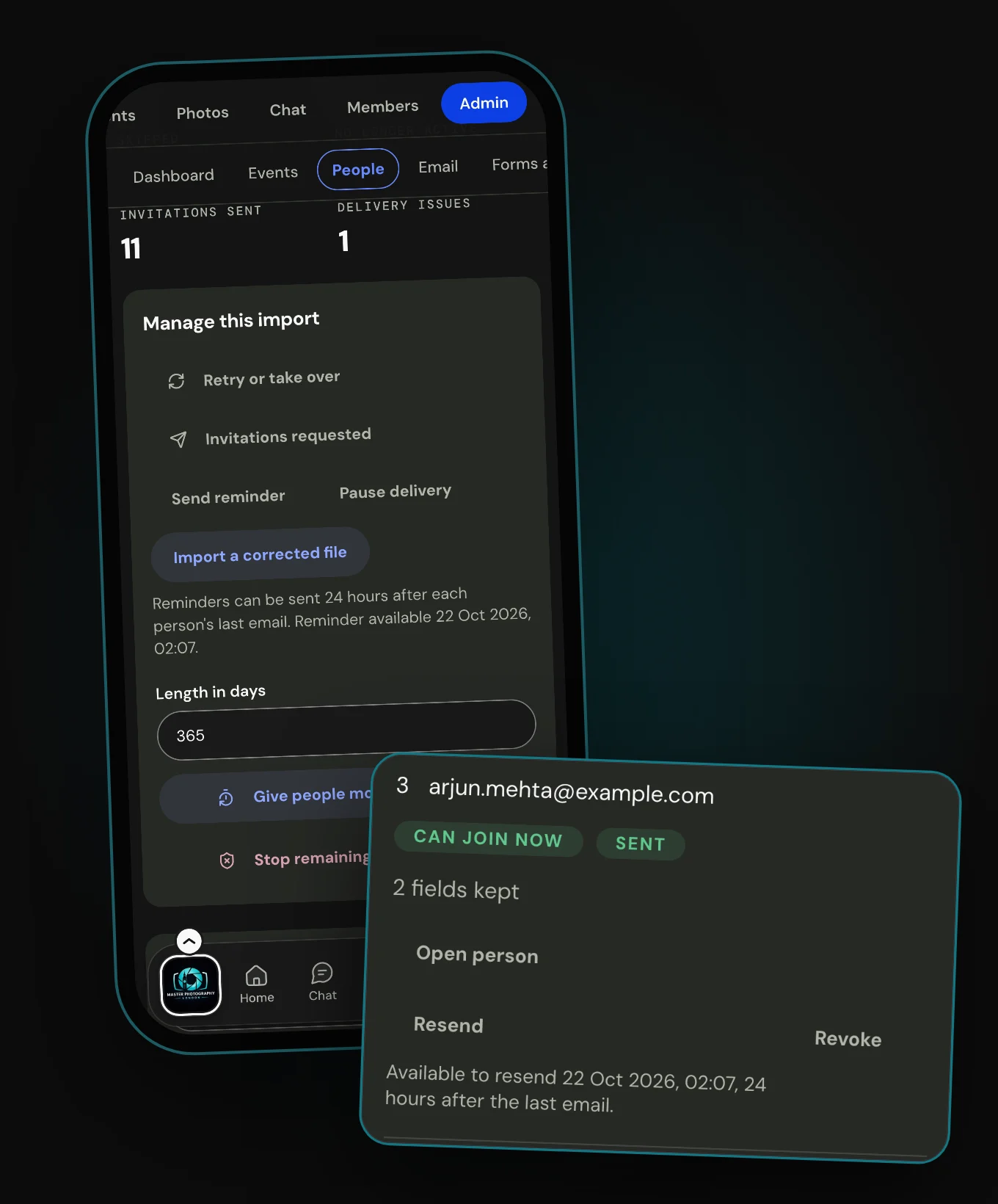 Invitation deliveryHow invitations go out, what each delivery result means, and why a failed email never costs someone their place.
Create your events
Event setup
Set up every aspect of your event from one hub
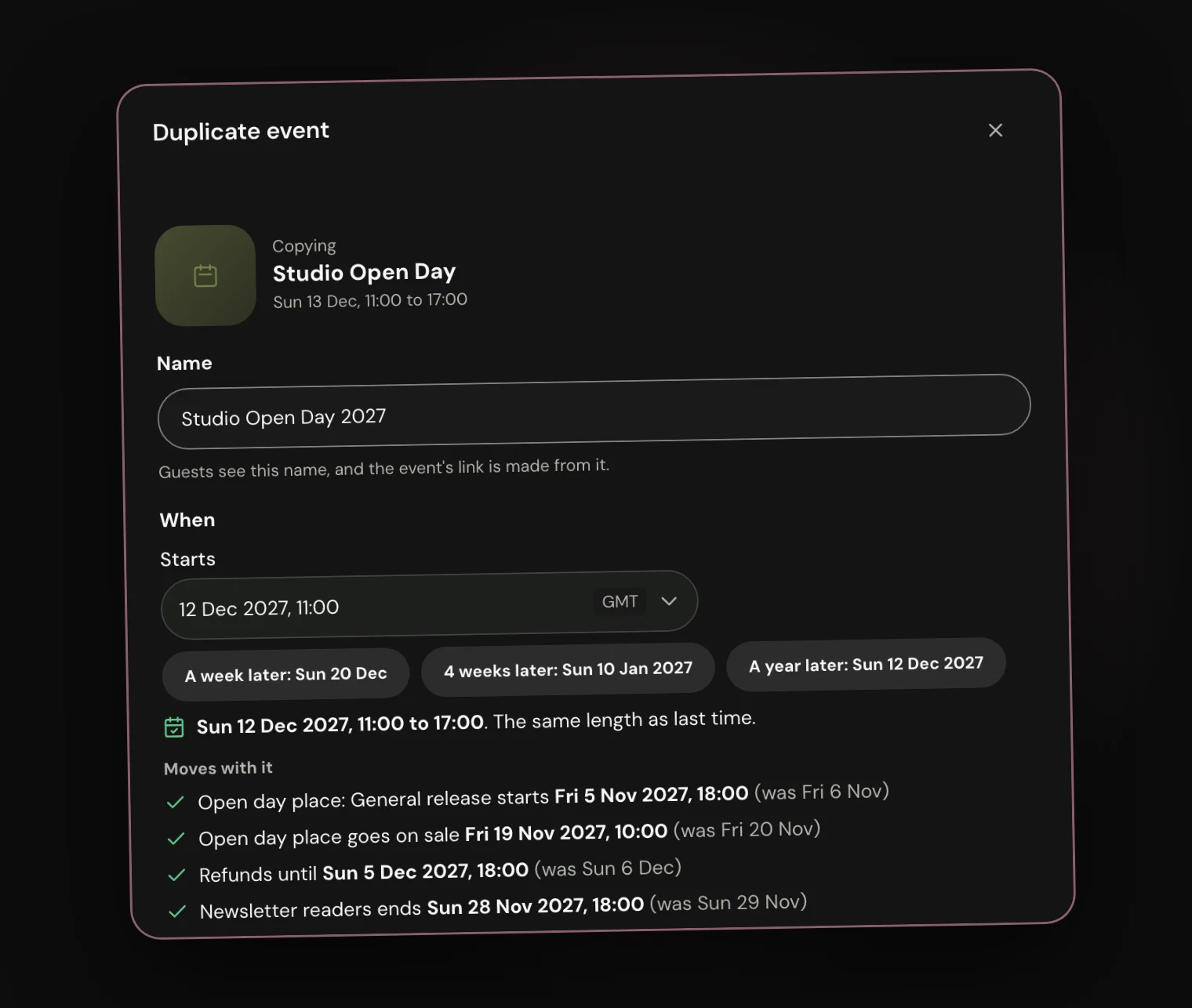
Create your events
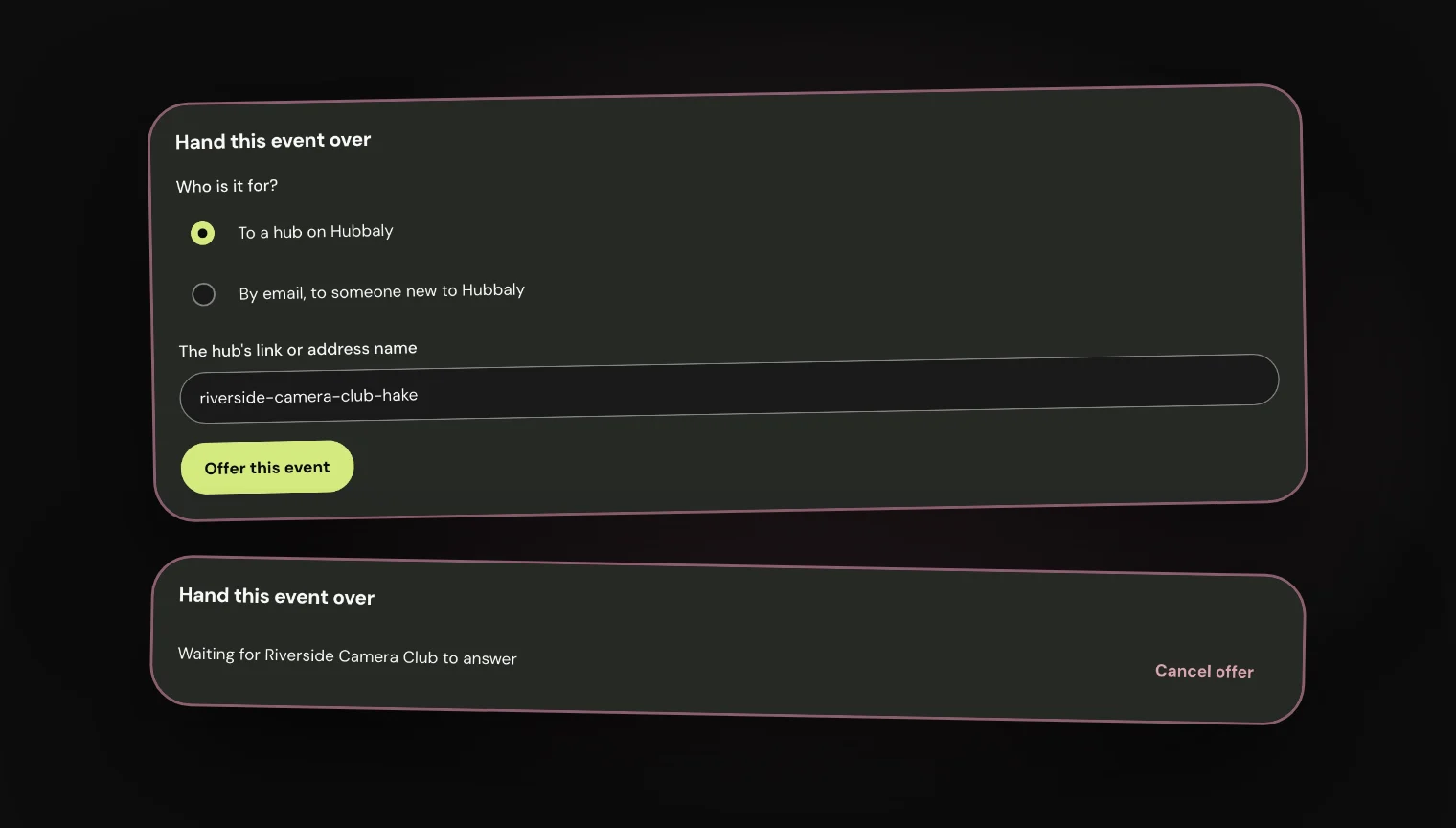
Hosting together
Run one event with another hub
Create your events
Transfers & ticket swaps
Transfers and ticket swaps handled by your hub
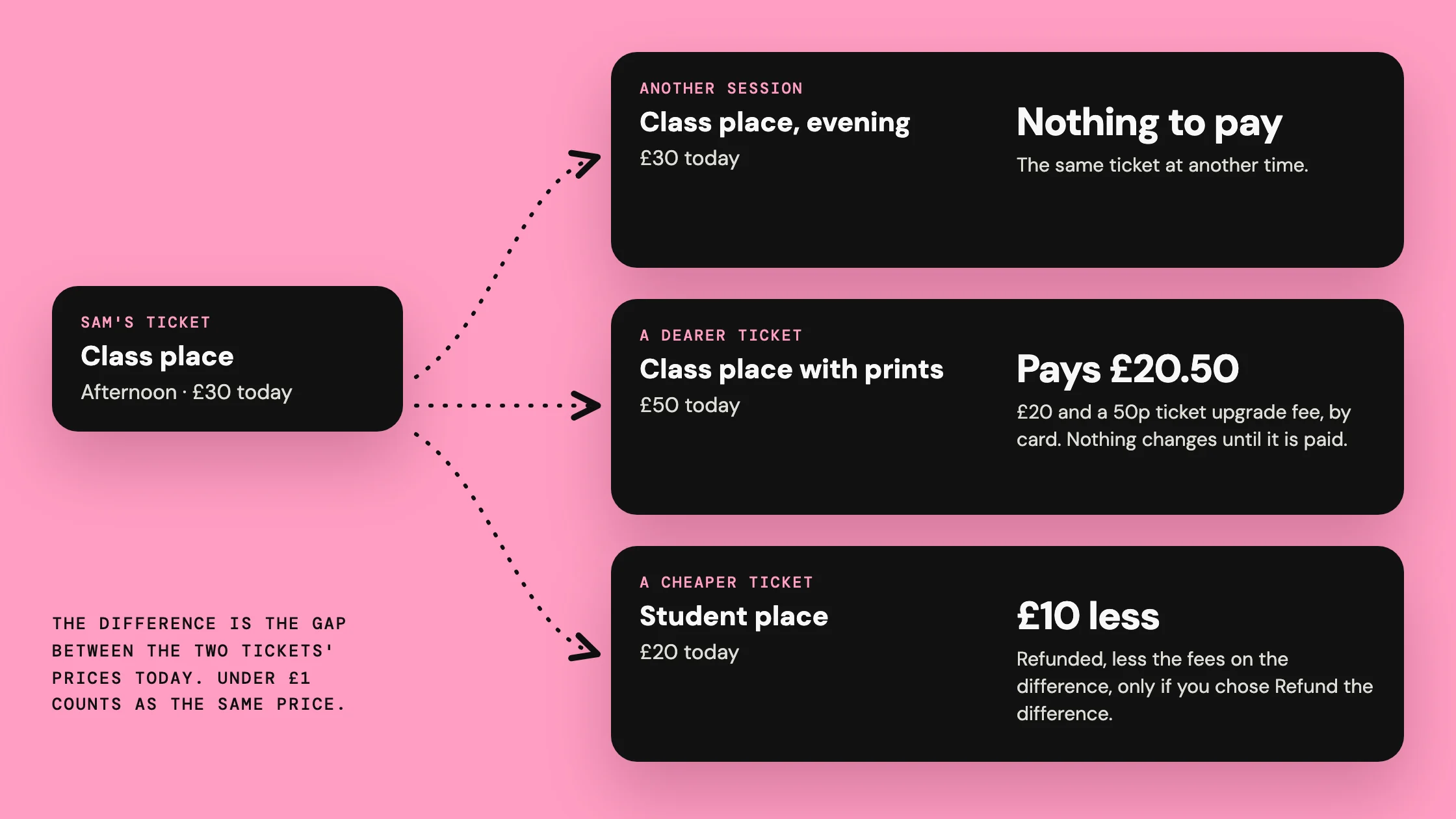 What a change costsThe difference is the gap between the two tickets' prices today. Moving up is paid by card, with a 50p ticket upgrade fee; moving down follows your refund policy.
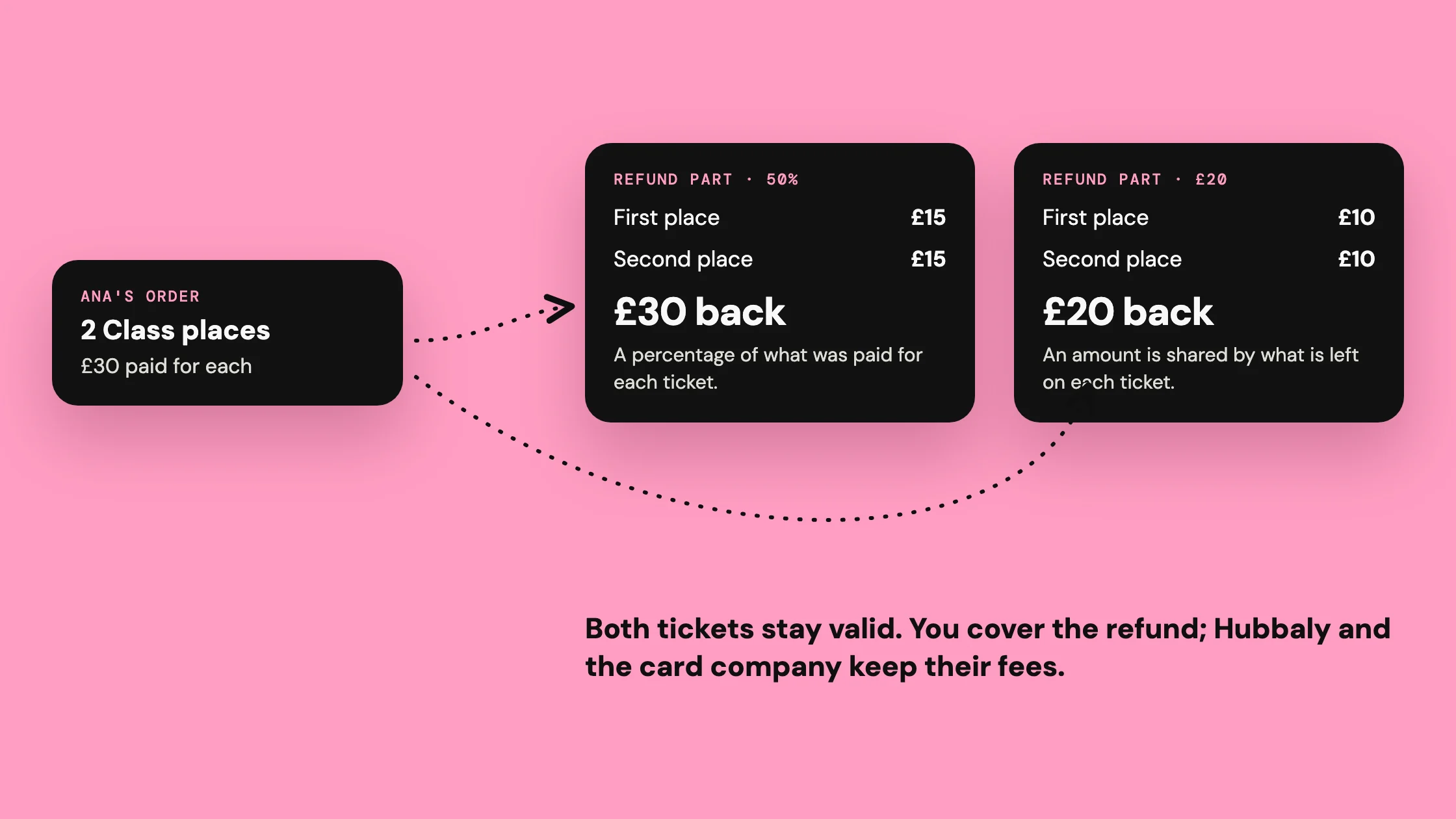 Refunding part of a ticketGive back some of what someone paid and keep their ticket valid, on one ticket or across an order.
Create your events
Waitlists & returns
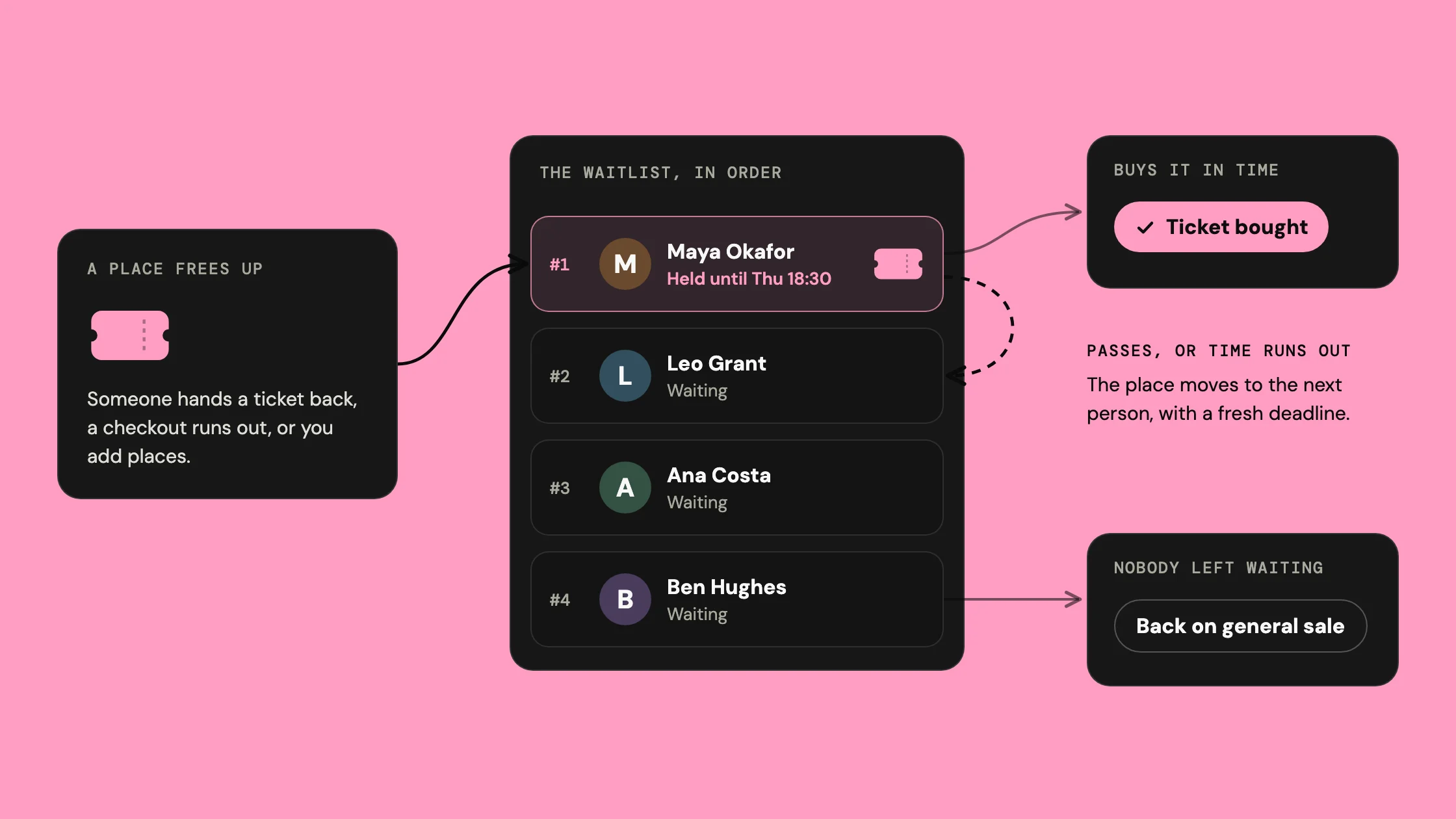
Automatic waitlists on sold out events
Run the day
Check-in
One QR code captures tickets, waivers and documents in one speedy scan.
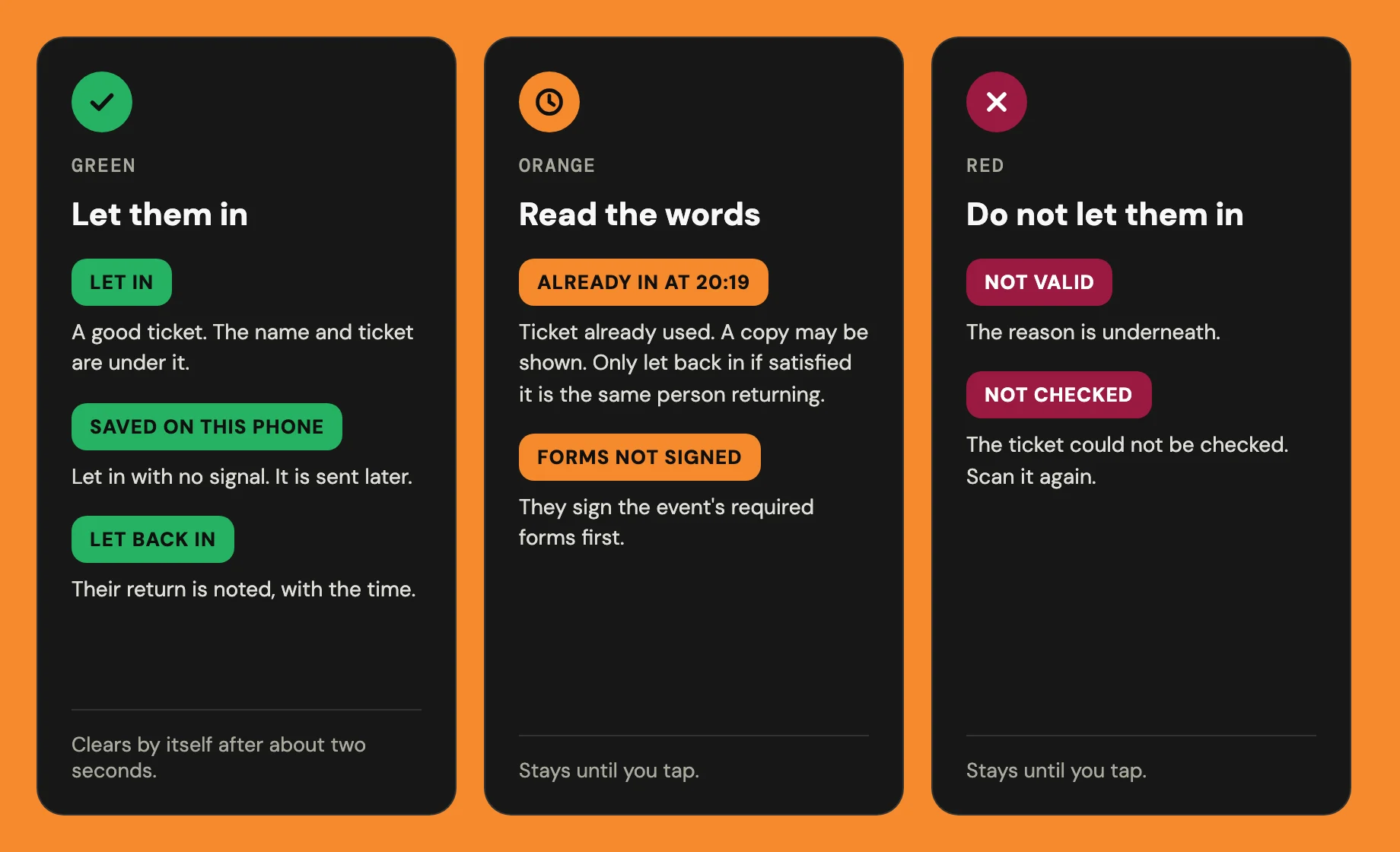 Scan resultsEvery scan fills the phone's screen with one answer in one colour. Green means let them in. Orange and red mean read the words first.
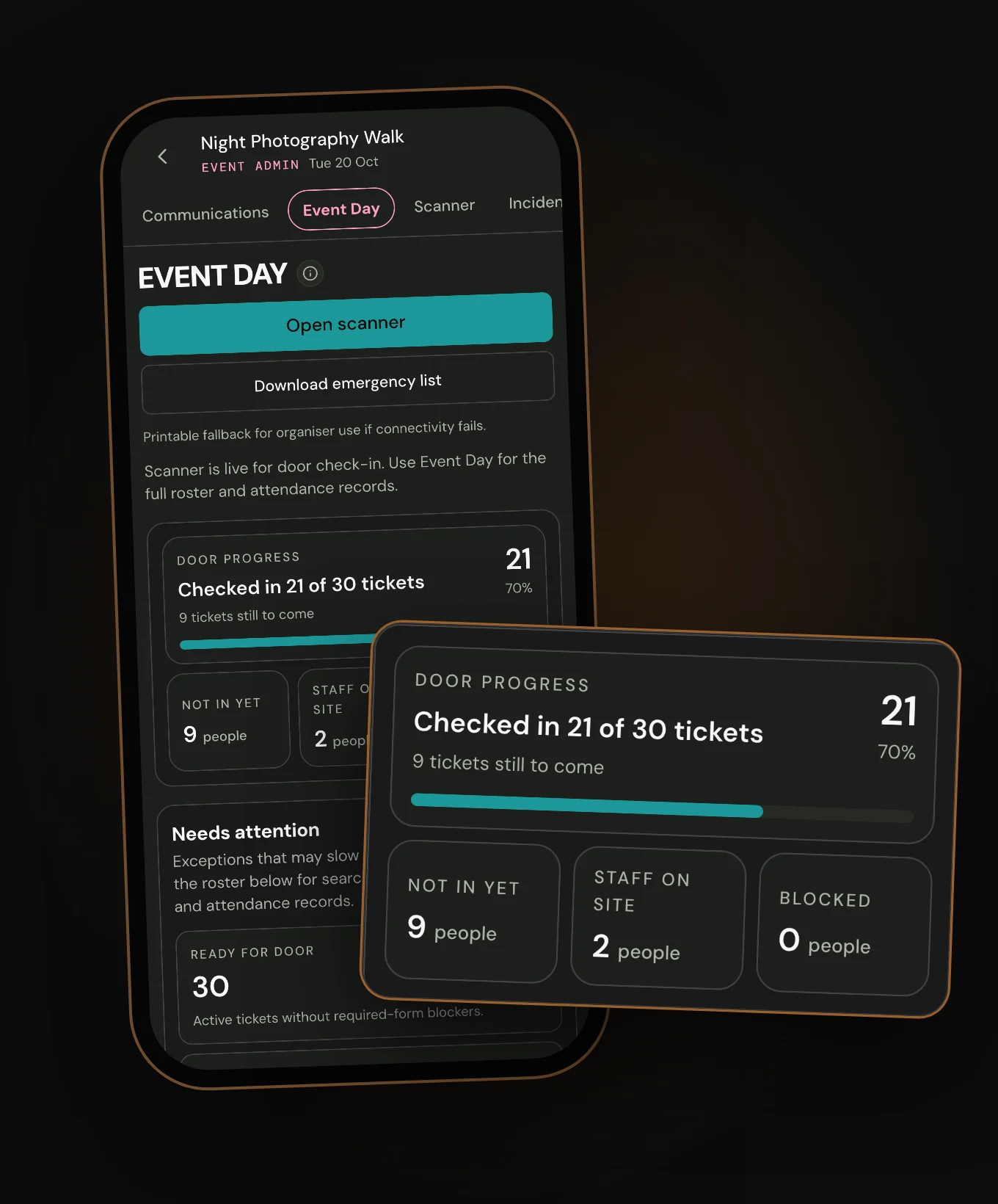 Live attendanceEvent Day shows how many tickets are checked in and how many are still to come. It updates as your door team scans or checks people in by hand.
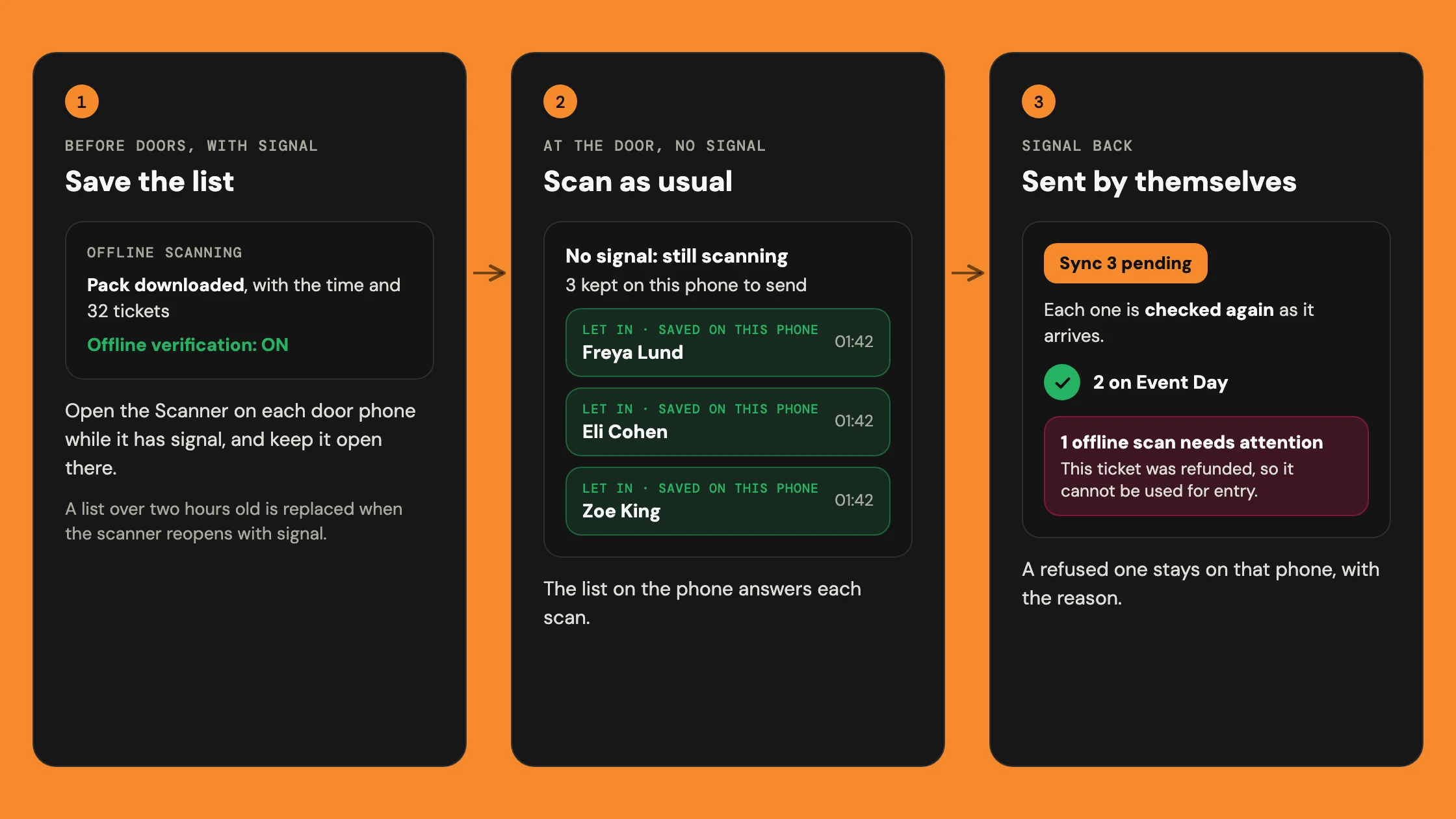 Offline scan packWith no signal, the scanner checks tickets against a list saved on the phone. It keeps each check-in and sends it when the signal returns.